AI FOR EVERY WOMAN

From Confused to Confident in AI — In Just Weeks

Learn with Us

Enroll Now

Explore with Us

Technology is evolving very quickly. Be the part of this change by updating yourself .

Choosing your first programming language depends on your goals, but here’s a clear and practical breakdown to help you decide
You’ll learn how to use Google Colab, the easiest way to start coding directly from your browser.

GOOD TO READ

What is Technology?

   Technology refers to the application of scientific knowledge, tools, methods, and techniques to solve practical problems, improve processes, and achieve specific goals. It encompasses a wide range of artifacts, systems, and practices that are created and used by humans to make their lives easier, more efficient, or more productive. Technology can be both tangible, such as smartphones, computers, and machinery, as well as intangible, including software, algorithms, and various digital systems.

What is Information Technology (IT) ?

 Information Technology (IT) is a broad field that encompasses the use of computers, software, networks, and other technologies to manage, store, transmit, and manipulate data and information. IT plays a critical role in various aspects of modern life, including business operations, communication, entertainment, education, and scientific research.

What is Artificial Intelligence ?

  AI, or Artificial Intelligence, refers to the development of computer systems and software that can perform tasks that typically require human intelligence. These tasks include problem-solving, learning, reasoning, understanding natural language, recognizing patterns, and making decisions. AI systems aim to simulate human cognitive functions to some extent, allowing them to process information, adapt to changing situations, and improve their performance over time.

Learn with Us

ChatGPT

Puzzle of this week

Tech Jargon

1. Algorithm
A set of rules a computer follows to solve a problem.
(Like a recipe for a task.)


2. API (Application Programming Interface)
A way for two apps or services to talk to each other.
(Like a waiter taking your order to the kitchen.)

3. UI (User Interface)
The buttons, colors, layout of an app or website you see.
(How it looks.)

4. UX (User Experience)
How you feel when you use an app or website.
(How it works and how smooth it feels.)

5. Cloud Computing
Storing and accessing data online instead of your computer.
(Like Google Drive or iCloud.)

Mindful Reading

Tech

Your mind is your greatest tool—program it for success
tech dc

MUST WATCH

Digital Talks on Everyday Technologies

Effortless Tips to Create Your More Active , Productive and Successful Version in 2022

What Founder says:

Learn Technical skill with us- COMING SOON

destinycurves
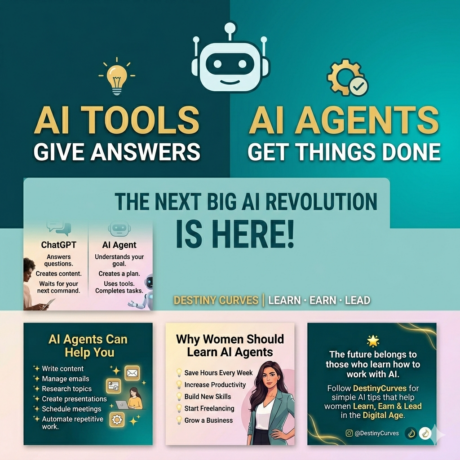
AI TOOLS FOR EVERYDAY WOMEN
destinycurves
PYTHON FOR BEGINNERS
destinycurves
BUILD YOUR BRAND ONLINE

Contact Us

Subscribe Us

You can also share your knowledge and experiences with us

Stay Connected!

Follow us on social media for the latest updates, tips, and inspiration. Let’s grow together and stay inspired—one post at a time!

✨ Join the DestinyCurves community today! ✨

Scroll to Top
×